Try the whole checkout free — no account, no card.
Install TallyTill, tap “Try a demo store,” and you're running a stocked farm-stand checkout in about 30 seconds. Ring up a real sale, and point the camera at your own produce to see the AI recognition for yourself. Nothing is charged.
How to run the demo
Install and open TallyTill
TallyTill is an Android app — install it free from the Google Play Store on the Android phone or tablet you'd use at your stand. When it opens, you'll land on the Connect this device screen.
Get it on Google Play (Android)Tap “Try a demo store”
Under New here? tap the green “▶ Try a demo store” button — no account, no sign-up. You'll drop straight into TallyTill Demo Market, a stocked catalog you can sell from. A banner up top reminds you it's a demo.
Ring up a sale — and try the AI
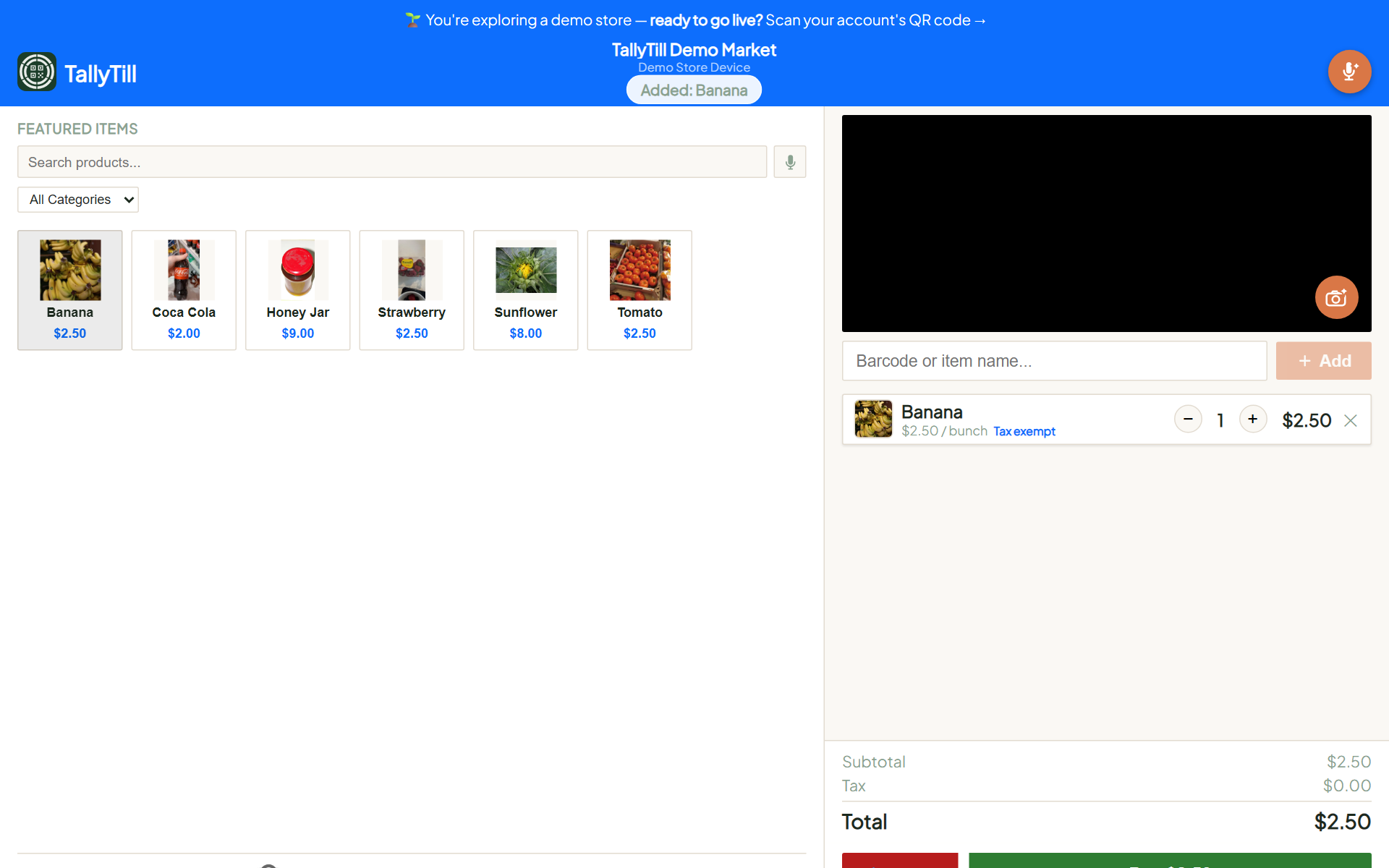
This is the part to actually play with. In the demo store you can:
- Tap the orange camera button, then hold up an item — an apple, a bag of coffee, a bouquet, a jar of honey. The AI names it and drops it in the cart. (Tapping the button is what triggers the scan.)
- Scan a barcode on anything nearby to see instant lookup.
- Tap the mic to ask the built-in assistant a question out loud.
- Type or tap to add items the old-fashioned way.
Grab whatever produce or products you have on hand and see how it does — that's the fastest way to know if it'll work at your stand.
Check out and take payment
When the cart's ready, the customer taps to pay and gets a QR code for card or Cash App Pay — cash and check work too. In the demo, no money changes hands.
Want to see the money side too?
Create a free account and your portal comes pre-loaded so Reports, Reconciliation, and Transactions are full from day one — that's where you see the sales, not just the camera trick.
$0/month · no time limit · support@tallytill.com